
FACEIT extension: know your opponents before round one
PreMatch shows opponents’ stats, roles, smurf signals and bans right in the FACEIT match room, gives veto tips and reviews your game after the match. Free.
📲 Send to another PC / remind me via Telegram
The extension installs in a desktop browser. The bot will send you the link and remind you tonight.
Already at a computer? Chrome · Firefox
- Free
- No sign-up
- Detects your nickname
- Never touches the game — runs in your browser
- Not affiliated with FACEIT
Check a FACEIT player by nickname
Stats, smurf or not, bans and ranking place. Nothing to install, works on a phone too.
What PreMatch does
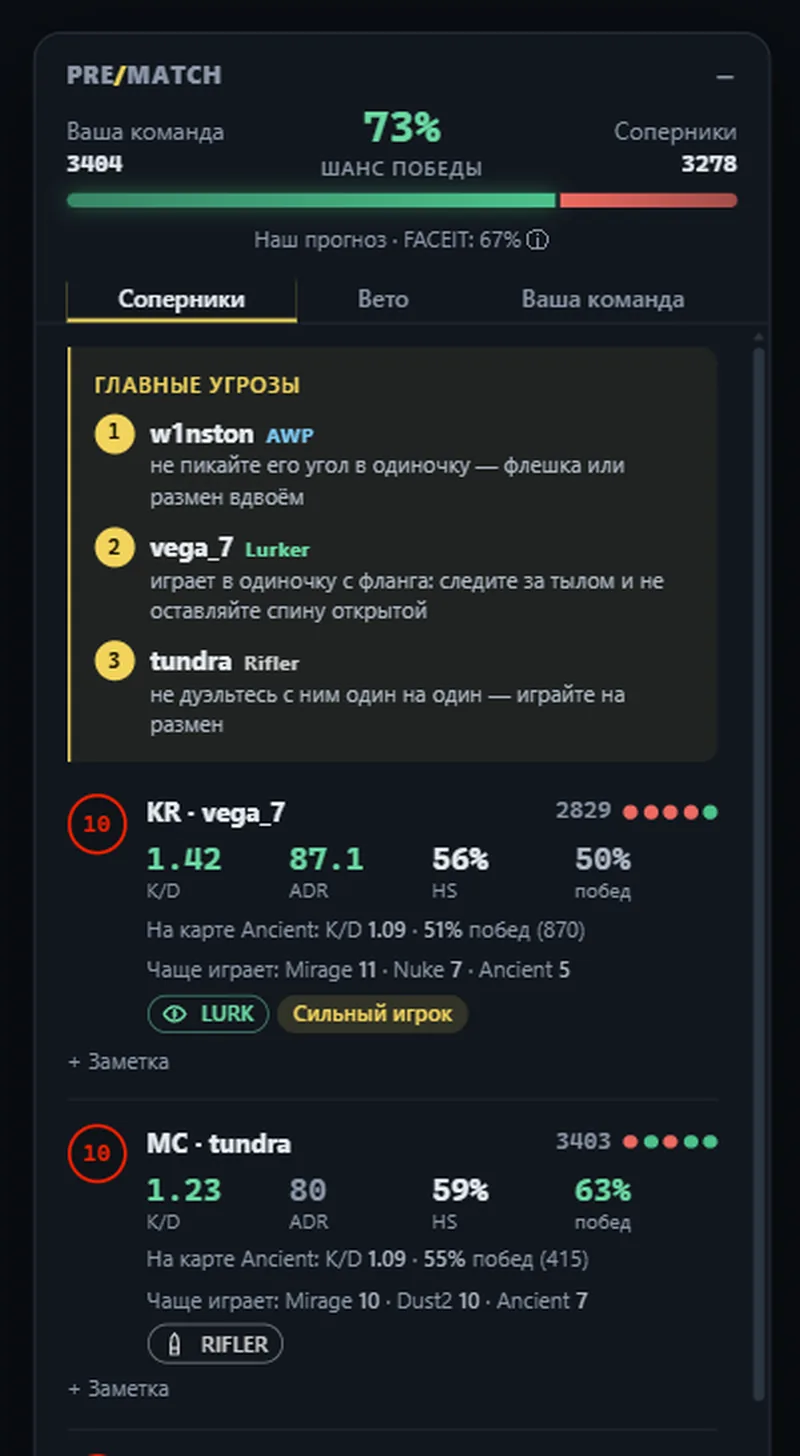
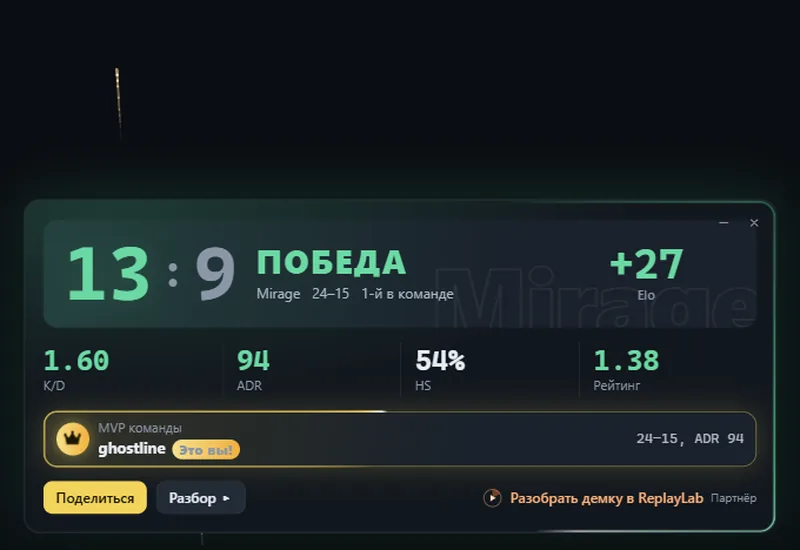
Opponent stats in the match room
Who is dangerous and how to play against them, plus K/D, ADR, win rate, form, role and maps for each player. Numbers line up in columns, so the strong ones stand out. Smurfs and bans are red, stacks and friends are marked.
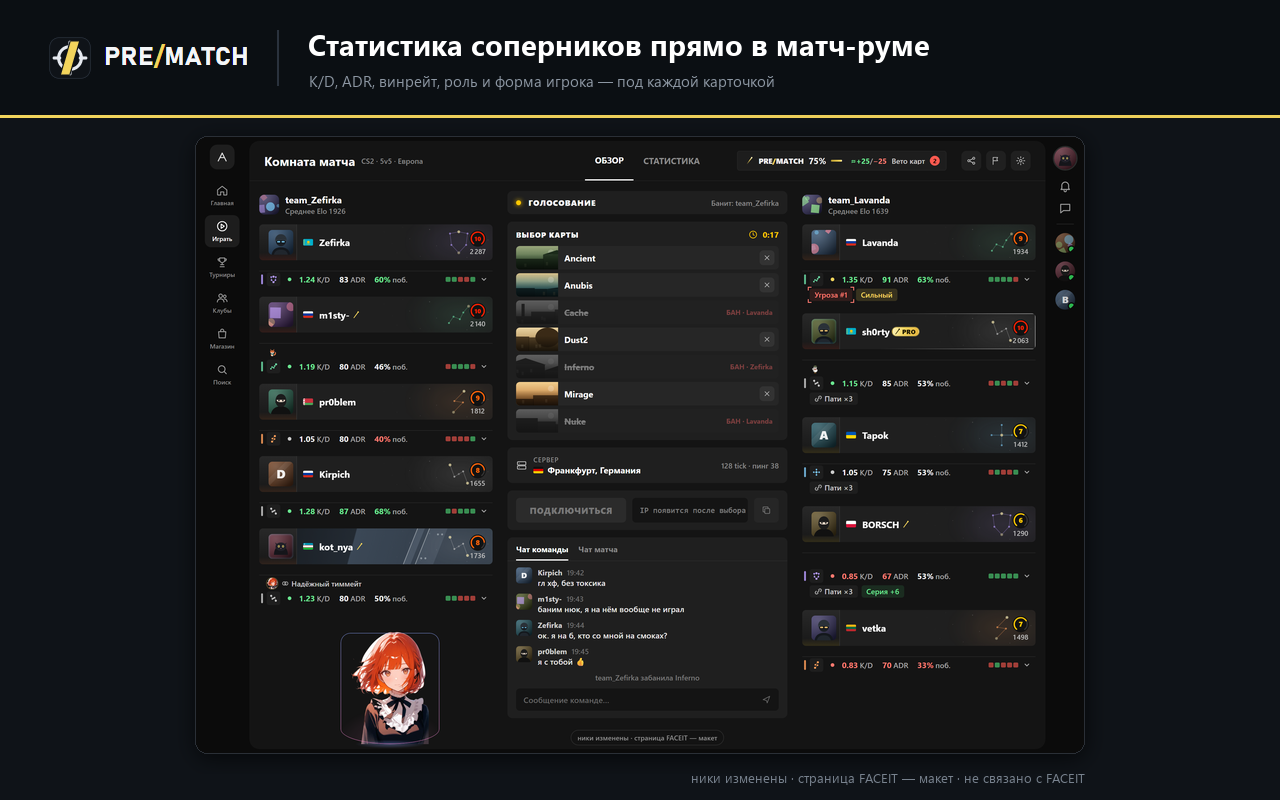
Map veto tips
Both teams’ win rate on every map and what to ban or play. The game plan goes into your team chat with one click, without being sent on its own.
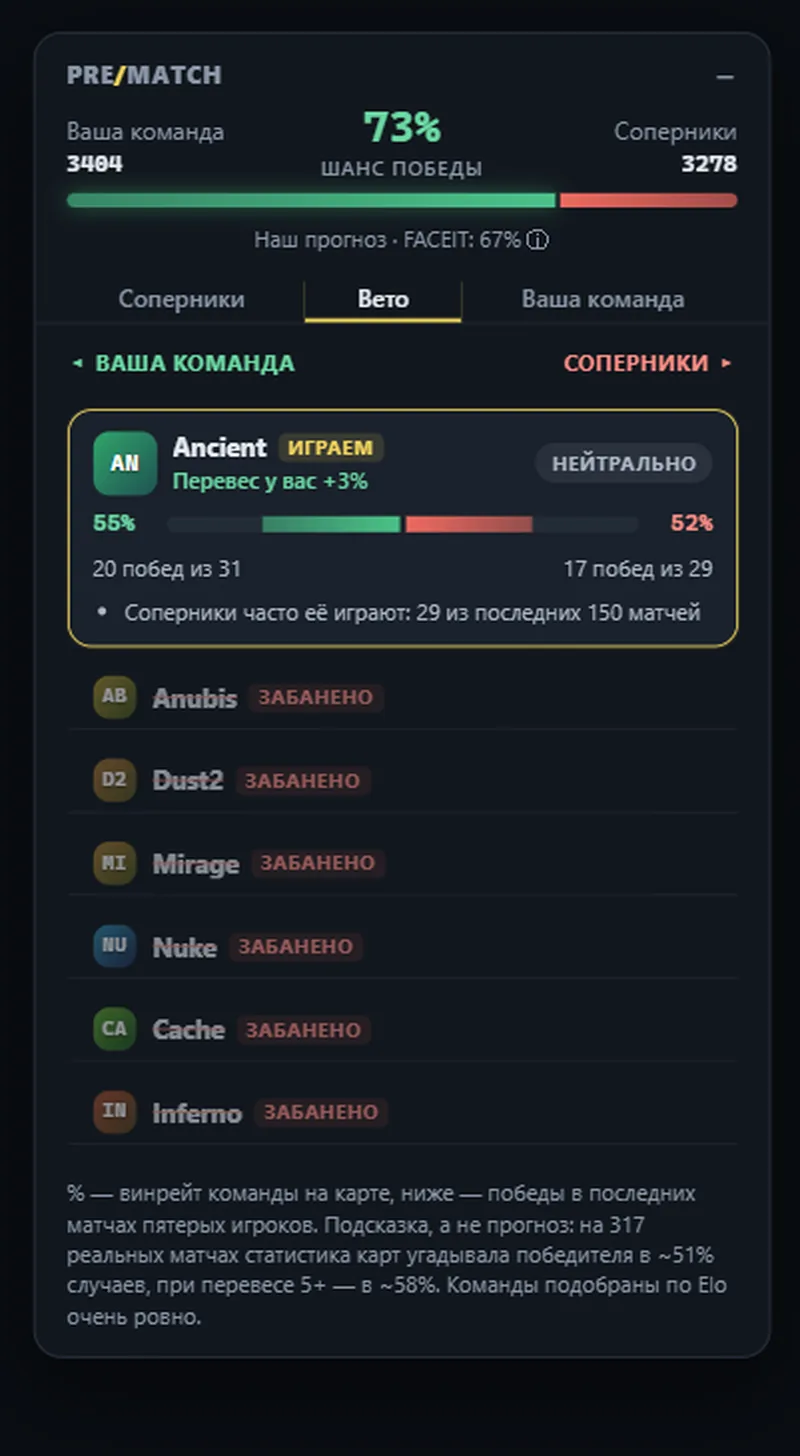
Result and review after the match
Score, Elo, your K/D and ADR, team MVP and an image to share. The review covers what went well, your top three mistakes and 15-minute drills.
And more
- Auto-accept and Watchdogaccepts the match for you (opt-in) and warns you loudly if it could not
- Telegram botmatch found, review and a weekly summary on your phone
- Win chance and Elo at stakewin probability and how many points you win or lose
- Player notesremember who rushes mid; only you see them
- Compare with meyour stats next to any player on their profile
- Ranking placeposition in the region and country on a player’s profile
- FACEIT on Steam profileslevel, Elo and form right on a Steam profile (turned on in settings)
- Server addresscopies the connect command for the CS2 console
Companion and frames
Pick one of five. It lives on faceit.com, grows from your matches and gives daily quests. Frames are visible to other PreMatch players: some are free, some are earned, like 10 wins in a row, some are Pro.
PreMatch Pro
Everything essential is free. Pro is for players who want to improve faster and stand out.
- Alina — a voiced 3D anime companion
- AI coach: a review of any match on demand (up to 10 a day)
- Demo review in your browser: untraded deaths, team flashes, where you get caught
- 5 animated frames and 6 card backgrounds
- Titles, nickname effects and a PRO badge everyone with PreMatch sees
- Companion accessories: shades, crown, halo, chain
See it in action
Short videos on how PreMatch helps in FACEIT matches come out on our YouTube channel.
Guides
see opponents’ stats on FACEIT · FACEIT veto tips · best FACEIT extensions · find a FACEIT account by Steam · FACEIT AC not starting: fixes
FAQ
Is it free?
Yes. Opponent stats, smurf check, veto tips, match review, auto-accept and the companion are free, no sign-up. Only Pro (Alina, AI coach, demo review, cosmetics) is paid, and Alina can be tried free for 3 days.
Can I get banned for using PreMatch?
PreMatch never touches the game or the CS2 client and has nothing to do with the anti-cheat: it runs on faceit.com (and, if you turn it on, on Steam profiles) and shows public data from the FACEIT Data API. Auto-accept is off by default — FACEIT rules are ambiguous about automation, so turn it on at your own risk.
Does it work in Edge, Opera or Yandex Browser?
Yes. They all install extensions from the Chrome Web Store: open PreMatch in the Chrome Web Store and press "Add". Firefox has its own version on Firefox Add-ons.
How do I check a FACEIT player without installing anything?
Type the nickname into the check on this page to see their stats, smurf signals, bans and ranking place. In the match room, the extension shows the same for all opponents at once.
How do I see a FACEIT player’s bans?
Bans are in the player check on this site, and the extension marks them in red right in the match room with the reason and year. This is FACEIT’s own data; an old ban does not mean anything is happening now.
How is PreMatch different from Repeek (FACEIT Enhancer)?
Repeek is mostly about auto-accept and interface convenience. PreMatch is about opponents: roles, threats, smurfs, veto by map and a review of your game. See the extensions guide for details.
How do you tell a smurf?
PreMatch compares a player's recent stats with their usual ones and looks at account age, match count and Elo growth. If it all looks suspicious, the player is highlighted in red with the reasons.
Do I have to type my nickname?
No. The extension detects your nickname from your faceit.com account to tell which team is yours.
Is it an official FACEIT extension?
No. PreMatch is made by an independent developer and is not affiliated with FACEIT. Data comes from the public FACEIT Data API and the match pages you open.