
How to tell if a FACEIT opponent is a smurf
For a free check, type the nickname into the FACEIT Finder: it shows smurf signals and FACEIT bans, also on a phone. A smurf shows several signs at once: few FACEIT matches or a fresh account, a fast Elo climb and stats well above players of the same level (K/D, ADR, win rate). One sign alone means little. PreMatch checks all nine players at once and highlights suspicious ones in red with the reasons.
📲 Send to another PC / remind me via Telegram
The extension installs in a desktop browser. The bot will send you the link and remind you tonight.
Signs of a smurf
- Few matches but confident play.
- Level after level with almost no losses.
- K/D and damage of players several levels higher.
- Recent form far above their own average.
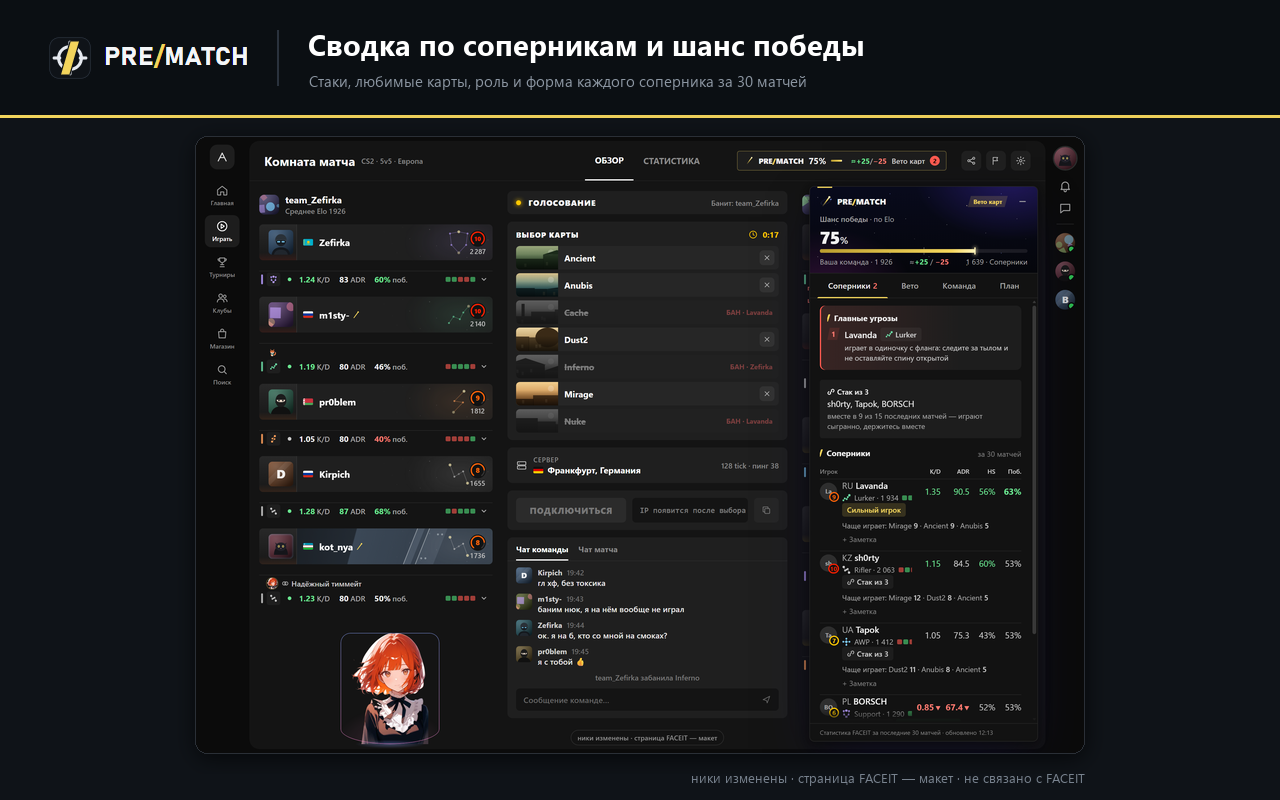
How FACEIT detects smurfs
FACEIT does not publish the details, so they cannot be worked around. From its own announcements: it runs its own detection for smurfs and accounts of the same person and bans them in waves; smurfing is among the offences banned on the first strike; players who lost to a banned smurf get their Elo back with a notification; and suspicious players can be reported after a match.
Which signs PreMatch checks
- Fresh account: under 120 days old and already level 7 or higher.
- Few matches at high Elo: under 200 FACEIT matches and 1,800 Elo or more.
- Spike: over the last 10 games K/D up by 0.35 or more and damage per round up by 10 or more.
- Fast climb: at least 15 more wins than losses over the last 30 matches.
- Dominating: 70% wins or more with a K/D of 1.45 or more over 30 matches.
- Playing above the level: at levels 1–6, K/D 1.4 or more and ADR 88 or more.
- Few matches, many wins: at levels 1–7, under 150 matches and 65% wins in recent games.
The “Smurf?” tag appears only when at least two signs match, and the reasons are shown next to it.
Why one number is not enough
A good player can have a hot streak, and a new FACEIT account may belong to a Premier veteran. PreMatch flags a player only when several signs match and lists them, so flags are rare — about one player in two hundred.
Try PreMatch for free
For Chrome, Edge, Opera, Yandex Browser and Firefox. No sign-up — it works right after install.
📲 Send to another PC / remind me via Telegram
The extension installs in a desktop browser. The bot will send you the link and remind you tonight.
All features and the FAQ are on the PreMatch FACEIT extension page.
Questions
What is a smurf on FACEIT?
An experienced player on a second, new account who plays against weaker opponents. Playing on such an account is called smurfing and breaks FACEIT’s rules.
How does FACEIT detect smurfs?
With its own detection system, whose details FACEIT does not disclose, and through player reports. Accounts it finds are banned in waves, and Elo lost to smurfs is given back.
How can I see if a player was banned for smurfing?
Type their nickname into the FACEIT Finder: it shows the latest relevant ban from FACEIT data with the reason and year, such as smurfing or multiple accounts. More in the FACEIT ban checker guide.
Is a smurf a cheater?
No. A smurf is an experienced player on a new account; it says nothing about cheating.
Does the “Smurf?” tag prove it?
No, it is a hint from stats, not a verdict. That is why the reasons are always shown.
Read next
- How to see opponent stats on FACEIT before the match starts
- FACEIT ban checker: how to see a player’s bans
- How to find a FACEIT account by Steam
- FACEIT map veto: what to ban and what to pick
Free tools: FACEIT Finder · FACEIT Elo calculator · SteamID converter
Updated: 2026-11-26