
How to raise your FACEIT Elo
Elo only grows when you win more than half your games. At ±28 per match, a 60% win rate instead of 50% is about +56 Elo every 10 games. Three things add those percent fastest: playing your strong maps and banning the opponents’ strong ones, stopping after a losing streak, and fixing one main mistake at a time. PreMatch helps with all three: veto advice, a break suggestion after a losing streak and a review of every match.
📲 Send to another PC / remind me via Telegram
The extension installs in a desktop browser. The bot will send you the link and remind you tonight.
1. Win the veto
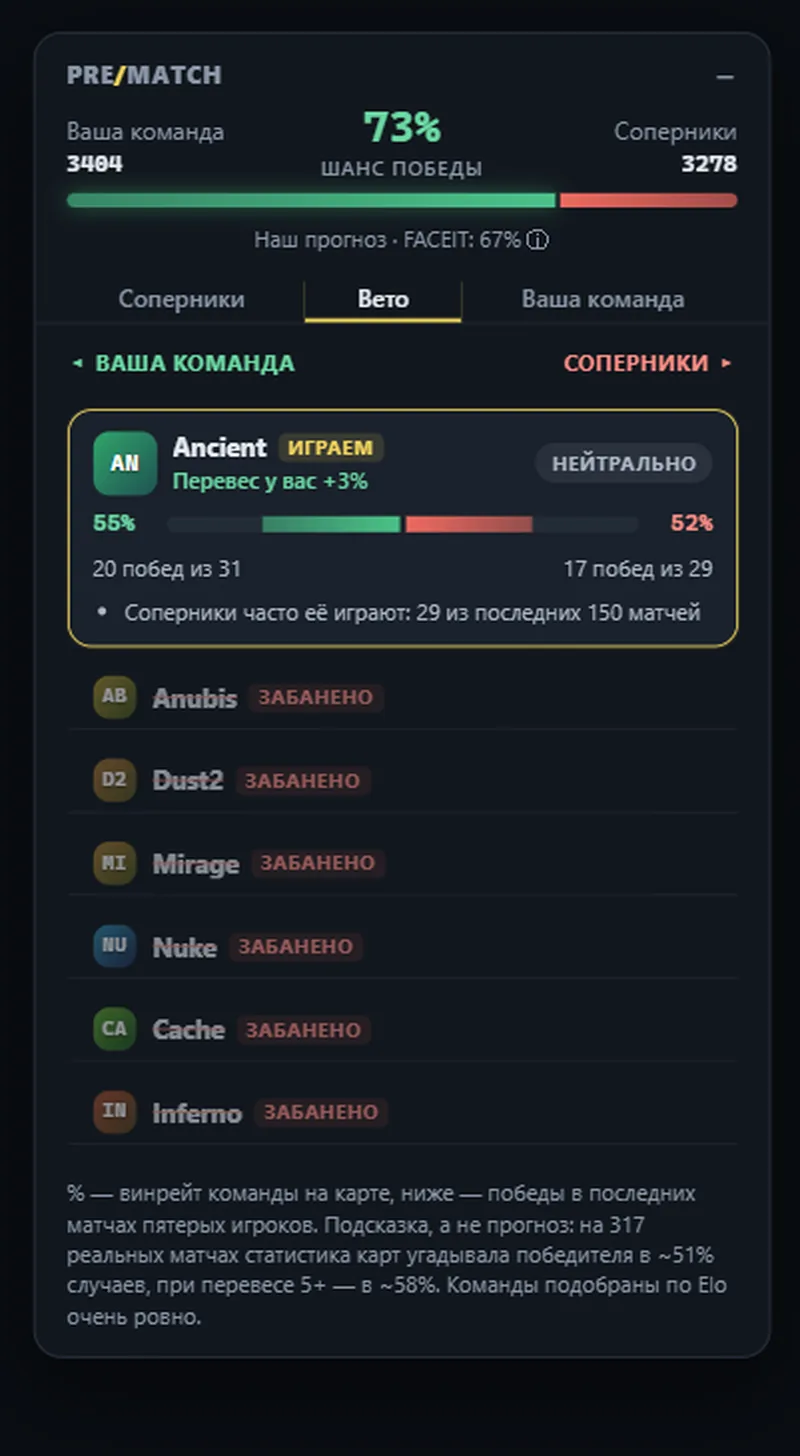
The map matters more than it seems: a player or a party often wins noticeably more on some maps than on others. Before the veto, check which maps your team wins and which ones the opponents do. PreMatch shows both teams’ win rate on every map of the pool right in the match room and suggests what to ban. More in the veto guide.
2. Stop after three losses
After a losing streak you play worse: you rush, get angry, argue with the team. One more match in that state takes Elo more often than it gives it back. PreMatch has a session counter: after three losses in a row, or once the session is down 80 Elo or more, it suggests calling it a day.
3. Fix one mistake at a time
Compare the match with your own usual level, not with the pros: where your damage, trades and survival fall below your own averages, that is the mistake. Pick one, work on it for three or four matches and check whether the number moved. After every game PreMatch shows your three main mistakes and 15-minute drills. How to read the review is in a separate guide.
4. Know who you are playing against
If you can see in advance who the opponents’ AWPer is, who entries first and who is in form, it is easier to pick a position and not give away the first duel. PreMatch shows the role, K/D, ADR and form under every player and highlights up to three top threats. More in the opponent stats guide.
5. Play in a party
With regular teammates it is easier to agree on utility, trades and roles. Even a duo that knows each other’s habits usually plays steadier than five random players.
6. Warm up before the first match
10–15 minutes of deathmatch or an aim map before your first game, so the first match of the session is not a warm-up paid for in Elo.
7. Do not throw Elo away
- Do not leave matches: FACEIT penalises it, and a team a player down almost always loses.
- Do not miss a found match: a queue cooldown breaks your session. The PreMatch sound and Watchdog warn you if the window is left unanswered.
- Do not play tired or on bad ping.
- Do not buy boosting or play with smurfs: it breaks FACEIT’s rules and gets accounts banned.
What it adds up to
Over 10 matches at ±28 Elo: 5 wins is 0, 6 wins is +56, 7 wins is +112. One extra win out of ten is already +56 Elo, about a third of a level. The PreMatch window shows how many matches to your goal at your current win rate, so you see the shift right away. All level thresholds are in the FACEIT levels table. Work it out for your own Elo with the FACEIT Elo calculator.
Try PreMatch for free
For Chrome, Edge, Opera, Yandex Browser and Firefox. No sign-up — it works right after install.
📲 Send to another PC / remind me via Telegram
The extension installs in a desktop browser. The bot will send you the link and remind you tonight.
All features and the FAQ are on the PreMatch FACEIT extension page.
Questions
Can I raise my Elo fast?
Fairly and fast only with a win streak: about 6 straight wins is one level between 3 and 6. Anything promising faster is usually boosting, and that risks a ban.
Why does my Elo not grow when I play well?
Elo is given for wins, not for K/D. If you deal a lot of damage but your team loses, look at the veto, trades and playing in a party.
How many matches a day should I play?
As many as you can play without tilting. A good rule is to stop after three losses in a row.
Is PreMatch free?
Yes, veto advice, opponent stats, the post-match review and the session counter are free. The AI coach and the demo review are part of Pro.
Read next
- FACEIT levels: Elo table for levels 1–10
- FACEIT map veto: what to ban and what to pick
- How to review your FACEIT match
Free tools: FACEIT Finder · FACEIT Elo calculator · SteamID converter
Updated: 2026-11-26